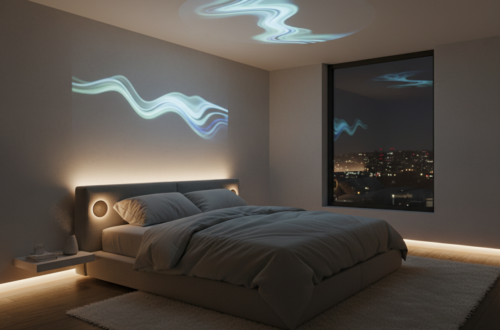
Home Office Ergonomics Equipment (2026): Best Upgrades for Comfort, Posture & Productivity
Remote and hybrid work have transformed the home office into a primary performance environment. Productivity constraints are no longer limited to software or workflow design. The dominant friction points are physical ergonomics, posture mechanics, visual alignment, and environmental distraction.
Incorrect seating geometry, poor monitor positioning, and unmanaged background noise collectively degrade concentration, increase musculoskeletal strain, and reduce sustainable work duration. Strategic equipment upgrades directly influence comfort, fatigue resistance, and cognitive stability.
This guide analyzes the three highest-impact categories for long-hour desk work:
- Ergonomic chairs
- Monitor arms & display positioning
- Noise-cancelling headphones
The emphasis is decision utility — which upgrades produce measurable improvements rather than aesthetic enhancements.
Why does home office ergonomics matter for long working hours?
Extended desk work stresses multiple physiological systems simultaneously. Discomfort rarely emerges from a single cause.
Spinal loading & lumbar stability
Non-supportive seating increases intervertebral disc pressure and encourages posterior pelvic tilt. Over time, this destabilizes neutral spine posture and accelerates lower-back fatigue.
Cervical posture & monitor height
Low display placement forces prolonged neck flexion, elevating trapezius activation and increasing tension accumulation across the upper back and shoulders.
Cognitive fatigue & noise variability
Irregular auditory stimuli disrupt attentional control and working memory efficiency, particularly during deep work or analytical tasks.
Ergonomic corrections function as fatigue-reduction interventions rather than comfort accessories.
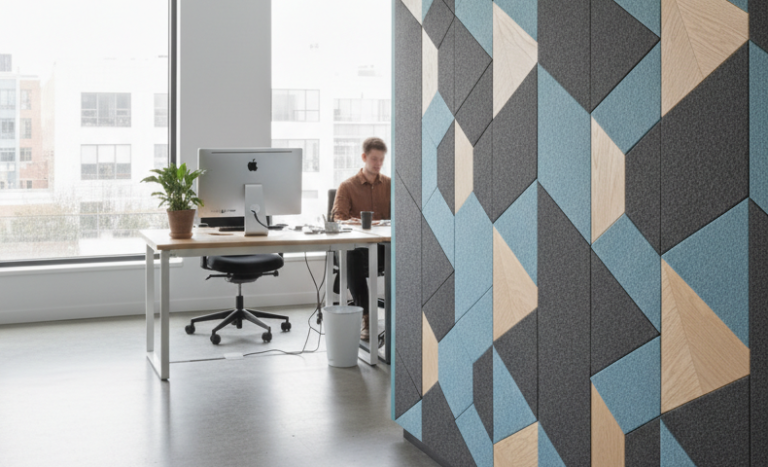
What is the best ergonomic chair for long hours at a desk?
Ergonomic seating quality is primarily determined by biomechanical support behavior, adjustability precision, and pressure distribution — not cushioning softness.
Herman Miller
Herman Miller chairs are widely associated with posture engineering and long-duration sitting mechanics. Design characteristics typically include:
- Dynamic lumbar support systems
- Forward tilt and recline balance
- Breathable suspension materials
- Long lifecycle durability
Support logic: stabilize pelvic orientation, maintain lumbar curvature, reduce static muscular contraction.
Best suited for: full-day desk workers, intensive computer use, chronic discomfort prevention.
Autonomous
Autonomous chairs target cost-efficient ergonomic correction. Core advantages often include:
- Broad adjustment ranges
- Minimalist structural design
- Lower financial barrier
Support logic: correct major posture faults at a more accessible price point.
Best suited for: budget-constrained setups, moderate work duration, general comfort improvements.
Premium vs budget ergonomic chairs: what actually changes?
| Variable | Premium Ergonomic Chairs | Budget Ergonomic Chairs |
| Lumbar Adaptation | Highly responsive | Moderately adaptive |
| Micro-movement Support | Strong | Limited |
| Breathability | Consistently high | Variable |
| Long Session Stability | Excellent | Adequate |
| Price Efficiency | Lower | Higher |
Interpretation:
Premium models reduce cumulative micro-fatigue by continuously adapting to posture shifts. Budget models correct gross alignment issues but may lack fine-grained support dynamics.
Can an ergonomic chair really reduce back pain?
In many cases, yes — when discomfort originates from static loading and poor spinal support.
Effective chairs reduce strain by:
- Maintaining lumbar curvature
- Stabilizing pelvic tilt
- Distributing pressure across contact surfaces
- Allowing posture variability
However, chairs do not correct movement deficits. Prolonged immobility remains a separate risk factor.
Do monitor arms improve posture and neck comfort?
For most desk configurations, monitor arms produce immediate ergonomic benefits. Fixed display stands often constrain users to suboptimal viewing angles.
Adjustable arms convert screen height into a controllable variable.
Primary ergonomic effects
- Eye-level display alignment
- Reduced cervical flexion
- Improved multi-monitor symmetry
- Desk space recovery
Logitech
Logitech monitor accessories and workspace hardware are frequently recognized for mechanical stability and compatibility breadth.
Strength profile:
- Reliable adjustment mechanisms
- Clean desk integration
- Broad VESA support
Best suited for: productivity-focused setups, multi-device environments, long-term reliability.
What is the ideal monitor height for desk work?
Neutral viewing geometry typically follows:
- Top of screen at or slightly below eye level
- Viewing distance approximately 50–70 cm
- Neutral neck angle
- Minimal downward gaze
Incorrect monitor height is a common but underestimated source of neck tension and upper-back fatigue.
Are noise-cancelling headphones worth it for working from home?
Noise cancellation primarily functions as a cognitive performance tool rather than an audio upgrade.
Unpredictable background noise fragments attention and reduces deep-work duration. Active noise cancellation stabilizes the auditory environment.
Productivity-relevant effects
- Lower distraction frequency
- Longer concentration intervals
- Reduced listening fatigue
- Improved call intelligibility
Sony
Sony headphones remain strongly associated with active noise cancellation performance and long-session comfort.
Strength profile:
- Effective noise suppression
- Comfortable clamp dynamics
- Balanced sound signature
Best suited for: shared living spaces, frequent calls, focus-intensive work.
Noise cancellation vs passive isolation: what is the difference?
Passive isolation reduces sound through physical barriers. Active noise cancellation counteracts external noise via phase-inverted signals.
For variable household noise, ANC typically delivers more consistent attentional benefits.
Which home office upgrade produces the fastest noticeable improvement?
Upgrade priority depends on the dominant friction source.
Experiencing back discomfort → Ergonomic chair
Experiencing neck tension → Monitor arm
Experiencing concentration instability → Noise-cancelling headphones
Mismatch between symptom and upgrade often explains disappointing results.
Complete Home Office Ergonomics Impact Matrix
| Category | Comfort Impact | Productivity Impact | Upgrade Priority |
| Ergonomic Chair | Very High | High | Critical |
| Monitor Arm | High | Moderate | High |
| Noise-Cancelling Headphones | Moderate | High | High |
Interpretation:
Chairs address biomechanical stress. Monitor arms address visual posture mechanics. Headphones address cognitive interference.
What is the most common home office ergonomics mistake?
The most frequent failure pattern is optimizing aesthetics instead of biomechanics:
- Stylish but non-supportive chairs
- Large monitors positioned too low
- Ignoring environmental noise variables
- Static sitting without posture variation
- Ergonomic effectiveness is governed by alignment, adjustability, and fatigue dynamics.
FAQ: High-Frequency Search Questions
Q: Is an expensive ergonomic chair necessary for productivity?
A: Not universally. Benefits scale with sitting duration and support requirements. Long-hour users derive disproportionate value.
Q: Can monitor height cause headaches or neck pain?
A: Yes. Persistent neck flexion increases muscular tension and may trigger discomfort patterns.
Q: Do noise-cancelling headphones improve focus?
A: Indirectly but reliably. Reduced auditory interruptions extend sustained attention intervals.
Q: What defines an ergonomic home office setup?
A: Neutral spine posture, eye-level display alignment, and a low-distraction sensory environment.


You May Also Like
PuroAir 240 vs Coway Mighty (AP‑1512HH) 2026 – Ultimate Bedroom Air Purifier Comparison
March 22, 2026
PuroAir 240 Review (2026): Is It Really Worth It for Bedrooms?
March 22, 2026